
- Website creation
- CMS
WordPress: the open-source CMS for building a website, a blog or an online store
Reference
WordPress is the most widely used software in the world for building and running a website: a blog, a brochure site, a media outlet or an online store with WooCommerce. You write your pages in a visual editor, choose a theme for the look and add features, such as a contact form, SEO or payments, with plugins. It comes in two forms: the free, open-source software from WordPress.org, which you install with the web host of your choice, and WordPress.com, a turnkey hosted service. Nearly four websites out of ten run on it today, which makes it by far the leading content management system.
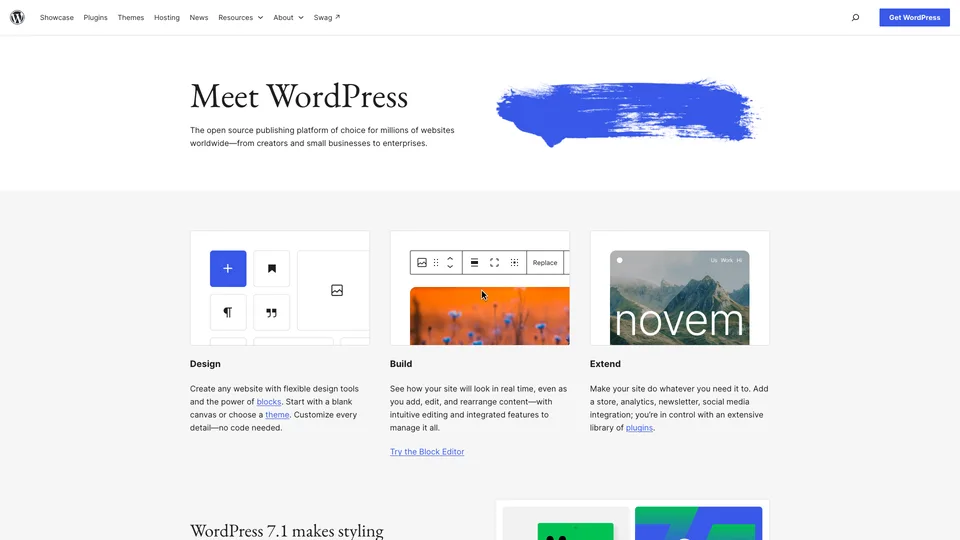
What is WordPress?
Under the hood, WordPress is a web application written in PHP that stores text, pages and settings in a MySQL or MariaDB database. Once installed on a server, it provides an admin dashboard you access from the browser: you write posts and pages with the block editor (paragraphs, images, columns and buttons you stack up), and manage media, menus and writers’ accounts. The look depends on the theme you choose, and almost everything else is handled by plugins: an official directory offers tens of thousands of them, free or paid, covering everything from SEO to online stores, security and multilingual sites.
The same name covers two offerings that are best not confused. WordPress.org distributes the open-source software, under the GPL license: it costs nothing, but you need hosting and a domain name, and you handle updates, backups and security yourself. Installation, for its part, is nothing complicated: most hosting providers offer an installer that sets up WordPress in a few clicks, without touching the server. WordPress.com is a commercial service from Automattic that runs this software for you, with a limited free plan and subscriptions that unlock a custom domain, plugins and online selling.
The project was born in May 2003, when Matt Mullenweg and Mike Little picked up the code of b2/cafelog, a blogging tool its author had abandoned. Mullenweg founded Automattic in 2005, the year WordPress.com launched; the company, based in San Francisco, also owns WooCommerce, Jetpack and Tumblr. The software itself is still developed by a vast community of contributors, under the umbrella of the WordPress Foundation. The block editor, called Gutenberg, became the default editor with version 5.0 at the end of 2018.
WordPress at a glance
- Type
- Open-source CMS and hosted service
- Founded
- 2003
- Founders
- Matt Mullenweg and Mike Little
- License
- GPL v2 or later (PHP, MySQL)
- WordPress.com publisher
- Automattic, San Francisco
- Share of websites
- 39.5% (November 2026), down from 43.6% in January 2025
- Latest version
- 7.1.4 (October 28, 2026)
- Free plan
- Yes: open-source software, or the free plan on WordPress.com
- Starting price
- WordPress.com: $9/month, $4/month billed annually
What is WordPress used for?
-
Build your website
a brochure site or a full website built from a theme, then customized block by block, without writing code.
-
Run a blog
posts, categories, tags, comments and several writers, each with their own role: blogging is what WordPress was built for.
-
Sell online
a full store with the WooCommerce plugin: catalog, cart, payments, inventory and shipping.
-
Add features
forms, multilingual content, bookings, memberships or newsletters, through plugins from the official directory or third-party vendors.
-
Take care of your SEO
readable URLs, title tags and meta descriptions, an XML sitemap, usually through a dedicated SEO plugin.
-
Get hosting handled for you
with WordPress.com, the server, updates, backups and SSL certificate are managed for you.


WordPress review
Reference
More than twenty years after its debut, WordPress is still a giant of website building, but no longer necessarily the default choice for a simple site. It does remain unrivaled for anyone who wants to stay in control of their site: the software is free and open, and its ecosystem has no equivalent, since whatever the need, there is a theme, a plugin and a contractor who can handle it. That popularity has a very practical, often underestimated advantage: the day you switch agencies or hosts, you leave with your site, and you can easily find someone to take it over.
A self-installed WordPress site has to be updated, backed up and monitored, or it becomes an easy target: vulnerabilities usually come from a neglected plugin or theme. Piling on plugins also ends up weighing the site down and causing conflicts when updates roll out. The tool isn’t as simple as it looks, then, and a beginner who just wants a clean page in an afternoon will feel more at home with an all-in-one website builder.
WordPress.com partly solves that problem by taking care of the technical side, but you need to read carefully what each plan includes. The free version, with its .wordpress.com address and ads, is mostly for trying things out; plugins only come with a paid subscription, and commission-free online selling requires the most expensive plans. It is also wise to keep an eye on automatic renewals and the short refund windows, and to know that support goes through a chatbot first.
Its dominance may be nearing its end. According to W3Techs, the share of websites built with WordPress rose from 35.4% in January 2020 to 43.6% in January 2025, before falling back to 39.5% in November 2026. It is still by far the leading CMS, used by 58.2% of sites whose CMS is known, again according to W3Techs. But the way websites get built is changing: you can now ask ChatGPT or Claude to write the code for an entire site, and AI-assisted builders like Lovable, Bolt or v0 create and publish a website or an app from a simple description. Nothing proves that WordPress’s decline comes from there, and these tools produce code, not an admin dashboard: once the site is generated, you still have to host it, maintain it and edit the code to change a line of text. For a landing page that rarely changes, they are enough; as soon as someone needs to publish regularly, a CMS still makes perfect sense.
In the end, WordPress deserves its reputation: it is the most versatile tool for publishing on the web, provided you are willing to look after it, or to pay someone, a hosting provider or a contractor, to do it for you.
Strengths
- Free, open-source software that you own and can host wherever you like.
- The widest choice of themes and plugins on the market, for almost every type of site.
- A huge community: documentation, tutorials and contractors all over the world.
- A solid foundation for SEO and for publishing content regularly.
- WooCommerce to turn the site into a store without switching tools.
Weaknesses
- Ongoing maintenance: updates, backups and security are up to you on WordPress.org.
- Plugins of uneven quality, a source of slowdowns, conflicts and vulnerabilities.
- Less instantly approachable than all-in-one website builders.
- Persistent confusion between WordPress.org and WordPress.com, and .com plans that take some decoding.
- On WordPress.com, a heavily restricted free plan and human support that can be hard to reach.
Is WordPress worth it?
Yes, if you want a site that can grow with you: a blog or media site that publishes often, a brochure site that will expand over time, a reasonably sized store. It is also the right choice if you work with an agency or a freelancer: most of them know it, and you will never be locked in with one provider. If the technical side puts you off, WordPress.com or a specialized host that handles updates takes it off your hands, for a subscription.
Not necessarily, if you want a landing page built in an hour, without ever thinking about maintenance: Wix or Squarespace are easier to pick up, at the cost of less freedom. For a store where online sales are the core of the business, Shopify offers a more turnkey setup than WooCommerce. And for a highly specific site or an application, custom development or another open-source CMS like Drupal may be a better fit.
How much does WordPress cost?
The WordPress software, downloaded from WordPress.org, is free, but building a site with it almost always comes at a cost. You need hosting and a domain name, and most sites add paid or freemium plugins and themes on top: an SEO plugin like Yoast SEO or Rank Math, a theme or page builder like Divi or Elementor, not to mention, if needed, a contractor. The pricing below is for WordPress.com, Automattic’s hosted service, with prices excluding tax. On the smaller plans, paying yearly cuts the monthly price by more than half.
| Plan | Per month | Per month, billed yearly | Included | Who it's for |
|---|---|---|---|---|
| Free | $0 | — | .wordpress.com address, 1 GB, ads, no plugins | Trying it out, personal blog |
| Personal | $9 | $4 | Custom domain, 6 GB, plugins and premium themes, no ads | Personal blog or website |
| Premium | $18 | $8 | 13 GB, full stats, payment buttons, videos | Freelancers, creators, small brochure sites |
| Business | $40 | $25 | 50 GB, SFTP, SSH, Git, real-time backups | Professional websites, agencies |
| Commerce | $70 | $45 | Everything in Business, plus store features and premium e-commerce themes | Online stores |
| Enterprise | Custom pricing | WordPress VIP, priced on request | Large websites, media outlets, corporations | |
Source: official WordPress.com pricing page, checked on October 31, 2026.
- Two- or three-year commitments lower the monthly price further (Business: $20, then $17.50 a month).
- The domain name is free for the first year with an annual or multi-year plan, not with a monthly plan.
- Subscriptions and payments collected on the site are subject to a commission, which decreases with the plan and drops to zero on Commerce, on top of Stripe fees.
- Refunds are available within 14 days for an annual plan, 7 days for a monthly plan and 96 hours for a domain name.
FAQ
Answers to questions about WordPress
Is WordPress free?
The software is: you can download it freely from WordPress.org. You do, however, need to pay for hosting and a domain name, and most sites add paid or freemium plugins or themes, such as Yoast SEO, Rank Math, Divi or Elementor. WordPress.com also offers a free plan, limited to a .wordpress.com address, with no plugins and with ads.
What is the difference between WordPress.org and WordPress.com?
WordPress.org provides the open-source software, which you install with the host of your choice and maintain yourself. WordPress.com is an Automattic service that hosts and maintains the site for you, with a subscription for most features.
How much of the web uses WordPress?
According to W3Techs, nearly four websites out of ten (39.5% as of November 1, 2026), and 58.2% of those whose CMS is known.
Is WordPress secure?
The core software is closely monitored and patched regularly. The risks come mainly from poorly maintained plugins and themes: installing few of them, choosing actively maintained ones and applying updates promptly removes most of the danger.
Can I build an online store with WordPress?
Yes, with the free WooCommerce plugin, installed on a standard WordPress site. On WordPress.com, full online selling requires the Business or Commerce plan.
Information checked on October 31, 2026