
- SEO
- Web technical
- Technical audit
Sitebulb: the crawler that tells you what to fix on a website, and in what order
Good tool
Sitebulb crawls a website from link to link, the way Googlebot would, then delivers a full technical audit: error pages, redirects, missing tags, duplicate content, internal linking, JavaScript rendering and structured data. What sets it apart is how it presents the results, since every issue is ranked by importance and explained in plain language. Available as desktop software and as a cloud version for teams, it is, alongside Screaming Frog, one of the go-to crawlers for SEO consultants and agencies.
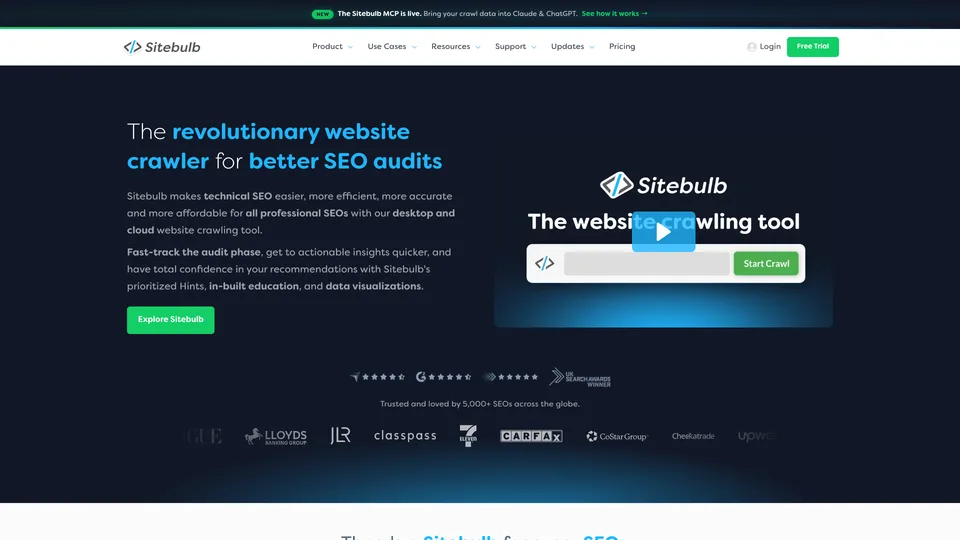
What is Sitebulb?
In its most common version, Sitebulb is installed on a Windows or Mac computer. You give it a site’s URL, choose between a fast crawl of the HTML and full page rendering in Chromium, the engine behind Chrome, and the software crawls the site and compiles what it finds. The output doesn’t take the form of one big raw spreadsheet, but of “Hints”: more than 300 checks that flag each issue, gauge its severity and explain why it is a problem. Topic-based reports round it out (accessibility, hreflang, XML sitemaps, performance, differences between the source code and the rendered page), along with visualizations such as crawl maps, which draw the site’s structure. Audits stay stored on the machine, can be compared from one run to the next and connect to Search Console, Google Analytics and Google Sheets.
The Cloud version offers the same features in the browser, on a dedicated server: you no longer need a powerful machine, crawls of several million URLs become possible and the whole team works on the same data. Since September 2026, an MCP server has also let you query your audits from Claude or ChatGPT.
The software was launched in 2017 by Patrick Hathaway and Gareth Brown, a duo already known to SEOs for URL Profiler, a tool they sold in 2019. Their company, Sitebulb Limited, is based in Kent, England, and claims more than 5,000 paying subscribers for its desktop version. The Cloud edition arrived in 2023.
Sitebulb at a glance
- Type
- SEO crawler, desktop and cloud
- Founded
- 2017
- Founders
- Patrick Hathaway and Gareth Brown
- Nationality
- British
- Headquarters
- Biddenden, Kent (United Kingdom)
- Platforms
- Windows, Mac, browser (Cloud)
- Free plan
- No, 14-day trial
- Starting price
- $18/month
What is Sitebulb used for?
-
Audit a site from top to bottom
more than 300 checks, ranked by priority and explained one by one.
-
Check JavaScript rendering
compare the code sent by the server with the page actually displayed, as Google sees it.
-
Map your internal linking
spot orphan pages, pages buried too deep or poorly linked, thanks to crawl maps.
-
Check accessibility
flag the issues that get in the way of people with disabilities, in the same audit as SEO.
-
Track how a site changes
schedule regular audits and see what has changed since the last one, for example after a release.
-
Report to your clients
custom PDF reports and exports to Google Sheets or Data Studio.
-
Query your audits with AI
ask Claude or ChatGPT questions about your crawl data, through the MCP server.


Sitebulb review
Good tool
Sitebulb is aimed first and foremost at people for whom technical audits are the job: consultants, agencies and SEO leads taking over a site, preparing a migration or needing to win over a team of developers. For them, it is an excellent tool. It doesn’t crawl more pages than the others; it makes the crawl readable. Where a traditional crawler hands you thousands of rows to sort through yourself, Sitebulb turns them into an ordered list of fixes. You save valuable analysis time, and you learn a lot by reading it, which also makes it a good companion for learning technical SEO.
That presentation has a flip side. Seasoned users who like to configure and extract everything will often find Screaming Frog more flexible and faster for custom work. JavaScript rendering, essential on many modern sites, slows the crawl down considerably. And on desktop, everything depends on the machine: beyond a few hundred thousand URLs, the computer struggles, and you then need to move to the Cloud.
That is where the bill changes scale. The desktop version remains affordable, especially the Pro plan, which covers most of a professional’s needs for a few dozen dollars a month. The Cloud, on the other hand, costs several hundred dollars a month for a team, which puts it up against enterprise platforms like Botify, Lumar or OnCrawl, at a more contained price. The lack of a free version is offset by a two-week trial with no credit card, long enough to get a feel for it on a real site.
For the owner of a small brochure site, however, Sitebulb is of little use. The most common issues already show up in Search Console, and an in-depth audit takes a minimum of technical knowledge to act on.
Strengths
- Issues ranked by priority and clearly explained, ready to hand off to a developer.
- A very thorough audit: JavaScript rendering, accessibility, hreflang, structured data, internal linking.
- Telling visualizations, including crawl maps of the site structure.
- A reasonably priced Pro plan for a professional tool.
- A 14-day free trial with no credit card.
- A choice between desktop and cloud, with desktop licenses included in most Cloud plans.
Weaknesses
- No permanent free version.
- On desktop, the size of the sites you can crawl depends on your computer’s power.
- Crawls with JavaScript rendering are much slower.
- Less freedom than Screaming Frog for custom extractions and settings.
- A Cloud with no free trial, much more expensive than the desktop version.
- A Lite plan that quickly hits its limits: 10,000 URLs per audit, and advanced reports reserved for Pro.
Is Sitebulb worth it?
Yes, if you audit sites regularly, for clients or for your own company, and you want prioritized findings rather than spreadsheets to pick apart. The Pro plan is enough for most consultants and small agencies. The Cloud is worth it as soon as a team shares the same audits or sites outgrow what a computer can crawl.
Not necessarily, if you manage a small site: Google Search Console, which is free, already flags the essentials, and the free version of Screaming Frog is enough for a first pass over a few hundred pages. Technical users who value flexibility over readability will often stick with Screaming Frog, while suites like Semrush, Ahrefs or SE Ranking include a simpler site audit on top of their other features. For very large sites, Botify, Lumar and OnCrawl play in the same league as Sitebulb Cloud, with the added benefit of server log analysis, which shows what Googlebot actually crawls.
How much does Sitebulb cost?
Sitebulb is a paid tool, but the desktop version remains accessible: $18 a month for Lite, $42 for Pro, with a discount of about 15% on annual billing. Cloud plans start at $125 a month and go up with the number of users and the volume of URLs crawled each month.
| Plan | Per month | Per month, billed yearly | Included | Who it's for |
|---|---|---|---|---|
| Lite | $18 | $15 | 1 user, 10,000 URLs per audit | Freelancers, site owners, one-off audits |
| Pro | $42 | $35.42 | 1 user, 500,000 URLs per audit, more than 300 checks | SEO consultants and agencies |
| Cloud Mini | $125 | $125 | 2 users, 50,000 URLs a month | A small team that wants to share its audits |
| Cloud Small | $245 | $245 | 5 users and Pro licenses, 1 million URLs a month | Agencies managing several clients |
| Cloud Medium | $495 | $495 | 10 users and Pro licenses, 2.5 million URLs a month | SEO teams, very large sites |
| Enterprise | Custom pricing | More than 10 users, 5 million URLs a month and up | Enterprise accounts, custom needs | |
Source: official Sitebulb pricing page (US dollars), checked on October 31, 2026.
- Each additional Pro user is billed on top of the plan, monthly or yearly.
- The 14-day free trial covers the desktop Pro plan, with no credit card and no commitment. The Cloud has no trial, only a demo.
- Payment is by card or PayPal; purchase orders and invoices are reserved for annual subscriptions.
- Cloud plans get no annual discount, and Cloud audits can no longer be retrieved after cancellation.
FAQ
Answers to questions about Sitebulb
Is Sitebulb free?
No. There is no permanent free version, but there is a 14-day trial of the Pro plan, with no credit card. After that, subscriptions start at $18 a month for Lite.
What is the difference between Sitebulb and Screaming Frog?
Both crawl a site the way a search engine does. Sitebulb focuses on interpretation, with issues ranked by priority, explained and illustrated. Screaming Frog delivers rawer data and can be configured in finer detail, which highly technical users often prefer.
Should I choose the desktop version or the Cloud?
The desktop version is enough for most consultants and small agencies. The Cloud becomes useful when several people work on the same audits or when sites outgrow what a computer can crawl, which is a few hundred thousand pages.
Does Sitebulb work on a Mac?
Yes. The desktop version is available for Windows and Mac, and the Cloud version runs in any browser.
Information checked on October 31, 2026