
- SEO
- Web technical
- Technical audit
Screaming Frog: the crawler that combs through a website for technical SEO audits
Reference
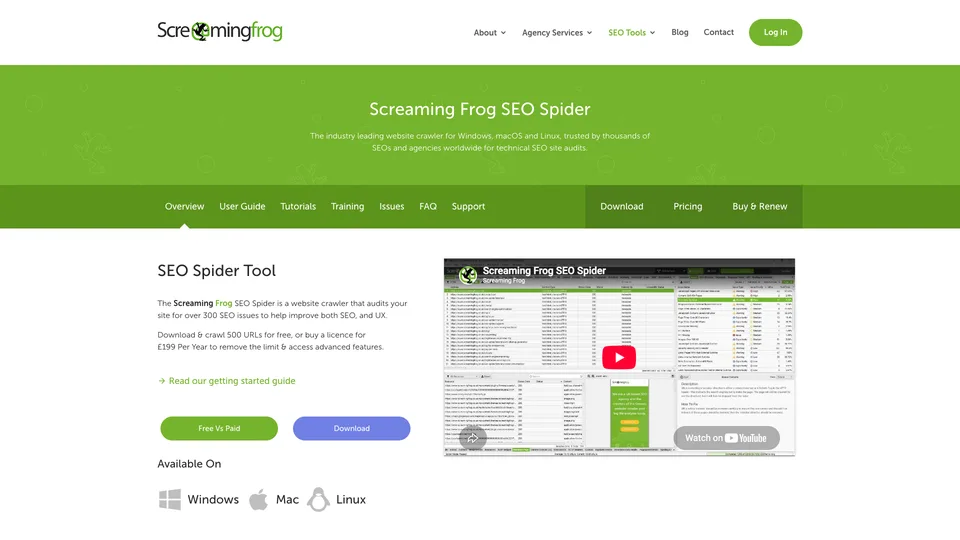
Screaming Frog SEO Spider is software you install on your computer that crawls a website page by page, the way Googlebot would, and builds a complete inventory of it. Broken links, redirect chains, duplicate titles, blocked pages or pages left out of internal linking: everything that gets in the way of crawling and indexing shows up in tables you can filter and export. In the industry, its name has almost become a synonym for crawling: it is the tool SEOs open first for a technical audit or before a migration.
What is Screaming Frog?
Unlike online SEO platforms, the SEO Spider runs on the user’s own machine, on Windows, macOS or Linux. You give it a URL, it follows the links and collects, for each page, the response code, tags, indexing directives, inbound and outbound links and response time, flagging more than 300 potential issues. It can also execute JavaScript through a built-in Chromium browser, compare two crawls, extract any element from the source code and generate an XML sitemap. Its volume limits don’t come from the license but from the computer: in database storage mode, the publisher puts it at about two million URLs with 4 GB of allocated memory.
The software can also combine its crawl with data from Google Analytics, Search Console and PageSpeed Insights and, more recently, send each page to an AI model (OpenAI, Gemini, Anthropic or a local model) with a custom prompt, or detect semantically similar content using vector embeddings.
Behind the tool is Screaming Frog, a British search marketing agency founded in 2010 in Henley-on-Thames, Oxfordshire, by three partners, including Dan Sharp, who designed the software. The SEO Spider was released publicly that same year, in a free and a paid version, and passed 100,000 downloads within a year. A Mac version followed in 2011, then a second piece of software, the Log File Analyser, in 2016. The company still runs both businesses, the agency and software publishing.
Screaming Frog at a glance
- Type
- Desktop software
- Operating systems
- Windows, macOS, Linux
- Launched
- 2010
- Co-founder
- Dan Sharp
- Nationality
- British
- Headquarters
- Henley-on-Thames, United Kingdom
- Publisher
- Screaming Frog, a marketing agency
- Free plan
- Yes, 500 URLs per crawl
- Starting price
- $279 a year
What is Screaming Frog used for?
-
Audit a website
a full crawl that flags broken links, server errors, redirect chains and loops, and orphan pages.
-
Check tags and indexing
titles, meta descriptions, headings, canonical tags, hreflang and robots directives, page by page.
-
Crawl JavaScript websites
pages rendered with Chromium to see what Google actually finds on a site built with React or Vue.
-
Extract your own data
prices, authors, markup or any other element of the code, pulled with XPath, CSS or regex across thousands of pages.
-
Generate your sitemaps
XML page and image sitemaps built from the crawl, ready to submit in Search Console.
-
Combine with Google data
traffic, clicks, impressions and speed scores imported from Google Analytics, Search Console and PageSpeed Insights.
-
Compare and schedule crawls
scheduled crawls compared against each other, to spot what changed before and after a launch or a migration.
-
Analyze pages with AI
a prompt sent to OpenAI, Gemini, Anthropic or a local model for each crawled page, plus detection of semantically similar content.


Screaming Frog review
Reference
Few technical audits start without it. Screaming Frog is the tool you run before a redesign, after a migration or when traffic drops for no obvious reason, because it shows the site as a bot sees it, with no filter and no estimates. Its data isn’t projected from an external database: these are the server’s actual responses, page by page. It is also the tool that goes deepest into the details, well beyond the audit modules built into online suites, which explains why, more than fifteen years after its release, it is still the first recommendation for anyone looking for a crawler.
That depth comes at a price. The interface, made of tabs and tables, looks more like a spreadsheet than a dashboard, and the tool delivers raw findings rather than priorities: you need to know what you are looking for, configure the crawl and interpret the results. For a beginner, the learning curve is steep. On large sites, you also have to work around your machine: crawling uses a lot of memory and can slow the computer down for hours, and teamwork means exchanging files rather than sharing a workspace.
You also need to think about the server you are crawling. At the default speed, the software can slow down shared hosting or trigger a firewall block such as Cloudflare’s, and the report then fills up with 403 or 429 errors that say nothing about the site’s real condition. Before a first crawl, lower the crawl rate, let the hosting provider know and, if needed, have your machine’s IP address allowlisted.
On price, it is one of the most reasonable professional tools on the market: an annual license at $279, with no monthly subscription and no automatic renewal by default. The free version, capped at 500 URLs and without the advanced settings, is enough for a brochure site or a first check, not for an e-commerce site. When the license expires, the software reverts to the free version and saved crawls can no longer be opened, so remember to export whatever you want to keep.
Strengths
- Real data, collected from the site itself, not estimates.
- Crawling of rare depth, configurable down to the smallest detail, JavaScript included.
- A modest annual price for a professional tool, with no monthly subscription.
- A free version with no sign-up, enough for small sites.
- Useful integrations with Google Analytics, Search Console, PageSpeed Insights and AI models.
- Software updated very regularly, with extensive documentation.
Weaknesses
- A demanding learning curve, designed for SEOs who know what to look for.
- Raw results, with no clear ranking of priorities for a newcomer.
- Memory-hungry desktop software that struggles with very large sites on a modest computer.
- A free version capped at 500 URLs, with no way to save crawls.
- A per-user license, with collaboration limited to exchanging files.
Is Screaming Frog worth it?
Yes, if you do technical SEO, at an agency, as a freelancer or in-house: audits, migrations, pre-launch QA, redirect checks or bulk data extraction. At $279 a year, the license pays for itself with the first billed audit, and it pairs very well with an online suite like Semrush or Ahrefs, whose audit modules are less thorough.
Not necessarily, if you manage a single small site and have no technical skills: the free version is enough for a one-off check, and Search Console already flags most indexing issues. Those who prefer prioritized recommendations and visual reports should look at Sitebulb, another desktop crawler that offers more guidance; for crawling very large sites in the cloud and sharing results across a team, Oncrawl and Botify play in a different price bracket.
How much does Screaming Frog cost?
Screaming Frog has no monthly subscription: the SEO Spider is sold as a one-year license, per user, at $279 on the US-dollar version of the official pricing page. The price drops when you buy five or more licenses at once.
| Plan | Per month | Per month, billed yearly | What the license includes | Who it's for |
|---|---|---|---|---|
| Free | $0 | — | 500 URLs per crawl, basic features, no saving and no support | Small sites, a first check |
| License, 1 to 4 users | — | $23.25 | Unlimited crawling, all features, technical support | Consultants, freelancers, small teams |
| License, 5 to 9 users | — | $22.08 | Same features, volume discount | Agencies and SEO teams |
| License, 10 to 19 users | — | $20.75 | Same features, volume discount | Large agencies |
| License, 20 users or more | — | $19.58 | Same features, volume discount | Enterprise accounts |
Source: official Screaming Frog pricing page (US dollars), checked on October 31, 2026.
- Price per license per year: $279, then $265, $249 and $235 depending on the number of licenses bought at once. Taxes are added where applicable, except for businesses in the European Union with a valid VAT number.
- One license covers one user, who can install the software on several devices.
- The license doesn’t renew automatically unless you choose that option at checkout. When it expires, the software reverts to the free version and saved crawls can no longer be opened.
- No free trial: the free version serves that purpose. A full refund is available within 14 days of purchase.
FAQ
Answers to questions about Screaming Frog
Is Screaming Frog free?
Partly. The free version, which you can download without signing up, crawls up to 500 URLs at a time, with no advanced settings, no JavaScript rendering and no saved crawls. Beyond that, you need an annual license at $279 per user.
How many pages can Screaming Frog crawl?
With a license, there is no fixed cap: it all depends on your computer’s memory and disk space. The publisher puts it at about 200,000 URLs with 8 GB of memory in memory storage mode, and about two million with 4 GB in database storage mode.
Does the Screaming Frog license renew automatically?
No. By default, you have to buy a new license every year. Automatic renewal is an option you select at checkout.
Does Screaming Frog work on a Mac?
Yes. The SEO Spider is available for Windows, macOS (Apple silicon and Intel) and Linux, with the same license.
Screaming Frog or Semrush for a site audit?
They complement each other. Semrush’s audit gives an online overview, built into a broader suite; Screaming Frog goes much deeper into technical detail, on your own computer, for a much lower price.
Information checked on October 31, 2026