
- SEO
- Web technical
- Testing and monitoring
- Technical audit
Conductor Monitoring (ContentKing): round-the-clock SEO monitoring for large websites
Good tool
Under the Conductor Monitoring name, ContentKing still does what made it famous: instead of waiting for the next audit, a crawler visits the site nonstop and alerts the team as soon as an important page loses its title, switches to noindex, returns an error or drops out of the sitemap. Every change is kept in a searchable history, so you can tell what changed, where and when. It remains one of the few real-time SEO monitoring tools, used mostly by teams that run large sites where a botched release gets expensive.
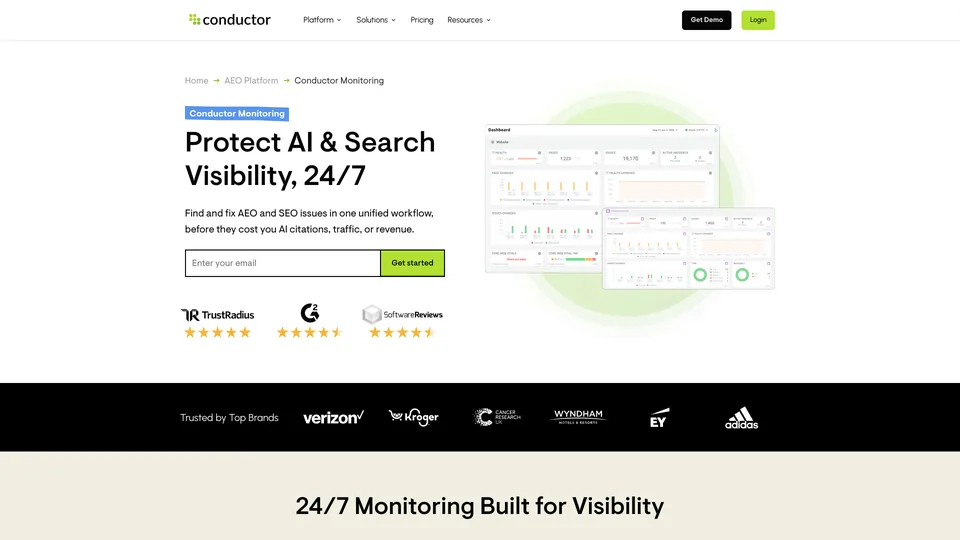
What is Conductor Monitoring (ContentKing)?
A traditional SEO audit takes a snapshot of a site at a given moment. Conductor Monitoring works more like a security camera: once the site is set up, there is no crawl to launch and no schedule to configure. The crawler runs day and night, comes back more often to areas where it has already found problems, rereads the robots.txt file every five minutes and XML sitemaps every hour. On each visit, it compares the page with its previous version: title, meta description, canonical tags, indexing directives, links, content, status codes. Any differences feed a change log that goes back up to 60 months, and trigger alerts by email, in Slack or in Microsoft Teams, with a sensitivity level you can set for each recipient.
On top of that monitoring, the “Page Health” view ranks pages by importance and shows what to fix first. Depending on the plan, the tool can also render pages’ JavaScript to audit the final output, measure Core Web Vitals with Lighthouse, analyze server logs (search engine and AI crawlers included, via Cloudflare, Akamai, CloudFront or Fastly) and notify IndexNow-compatible search engines of changed pages in real time. Google Analytics, Adobe Analytics and Search Console plug in to put traffic next to technical issues, and a WordPress plugin rounds things out.
ContentKing was founded in 2015 in Amsterdam by Steven van Vessum and Vincent van Scherpenseel, two SEO specialists who previously ran an agency. The tool made a name for itself with big brands: in Aira’s “State of Technical SEO 2024” survey of nearly 400 SEOs, 11% of respondents said they used it for technical SEO. In February 2022, it was acquired by Conductor, an enterprise SEO platform founded in 2006 in New York. Renamed Conductor Website Monitoring, then Conductor Monitoring in 2025, it is now one of the building blocks of Conductor’s optimization platform for search engines and AI answer engines, alongside content creation (Creator) and visibility tracking (Intelligence).
Conductor Monitoring (ContentKing) at a glance
- Type
- Continuous SEO monitoring (SaaS)
- Former name
- ContentKing, then Conductor Website Monitoring
- Founded
- 2015
- Founders
- Steven van Vessum and Vincent van Scherpenseel
- Origin
- Netherlands (Amsterdam)
- Owner
- Conductor (New York), since 2022
- Free plan
- No, 21-day trial
- Starting price
- Custom quote
What is Conductor Monitoring (ContentKing) used for?
-
Monitor your site around the clock
a crawler that goes through your pages day and night, with no crawl to launch, and returns more often where problems cluster.
-
Get alerted right away
alerts by email, in Slack or in Teams as soon as a key page changes, with a sensitivity level tailored to each recipient.
-
Find out what changed
a log of every change to your pages, from titles and tags to content and redirects, kept for up to five years.
-
Fix what matters first
your pages ranked by importance, with the issues affecting them and the order in which to tackle them.
-
Keep an eye on robots.txt and sitemaps
robots.txt reread every five minutes, XML sitemaps every hour, and an alert at the slightest discrepancy.
-
Track Core Web Vitals
Lighthouse measurements page by page and an alert when a metric falls back below Google’s recommended threshold (add-on).
-
See what crawlers actually visit
your server logs analyzed to show what Googlebot and AI crawlers really explore (add-on on the smaller plans).
-
Cross-check with your traffic
Google Analytics, Adobe Analytics and Search Console connected to put visits next to technical issues.


Conductor Monitoring (ContentKing) review
Good tool
The value of the tool becomes obvious the day a developer pushes a template to production that adds a noindex to every product page. With a monthly audit, you find out weeks later, once traffic has already dropped. With Conductor Monitoring, the alert comes within the hour, and the history shows exactly which pages changed and when. That is its strength, and what made it, back in the ContentKing days, the reference tool for real-time SEO monitoring: a safety net more than an analysis tool.
It doesn’t replace an audit crawler, though. To explore a site in depth, test hypotheses or prepare a migration, desktop software like Screaming Frog remains more flexible. The two complement each other: one for one-off diagnostics, the other for staying in control between audits. Expect some tuning time as well: too many alerts and the team stops reading them, too few and you miss what matters.
The crawler also has to be allowlisted in the firewall or CDN, and its crawl rate adjusted to the server’s capacity: a blocked or throttled crawler produces error alerts that visitors never see, and that is the leading cause of false positives at the start.
The Conductor acquisition changed the way you buy it. The tool is now presented as one component of an enterprise platform, with no public pricing and a demo before any quote. The options that matter on a modern site, JavaScript rendering and Lighthouse measurements, aren’t part of the entry plan, and log analysis costs extra there. For a site with a few hundred pages or an independent consultant, the question doesn’t even come up. For an SEO team running a large e-commerce site or a media site, where a release error quickly costs money, the spend is much easier to justify.
Strengths
- Truly continuous monitoring, with no crawl to schedule.
- Fast, adjustable alerts sent by email, Slack or Teams.
- A page-by-page change history, invaluable for tracing the cause of a drop.
- Constant monitoring of robots.txt and sitemaps, often forgotten between audits.
- Pages prioritized by importance rather than a long list of errors.
Weaknesses
- No public pricing and no free plan: everything goes through a quote.
- Now sold as one component of the Conductor platform, harder to buy on its own.
- JavaScript rendering and Lighthouse measurements missing from the entry plan.
- A monitoring tool, less suited to in-depth audits than a dedicated crawler.
- Alerts that need careful setup so they don’t swamp the team.
Is Conductor Monitoring (ContentKing) worth it?
Yes, if you are in charge of SEO for a site with tens of thousands of pages, constantly updated by several teams, where a technical error can cost sales before anyone even notices it. The tool then works as insurance: it flags the regression before it shows up in the index and in traffic, and keeps a record of every change.
Not necessarily, if your site rarely changes or has only a few hundred pages. The free Search Console already flags major indexing problems, and a regular audit with Screaming Frog or Sitebulb is more than enough. For lighter monitoring with published prices, Sitechecker also offers change alerts.
If what you need first is an advanced technical audit on a very large site, Oncrawl and Botify lean more toward analysis; Lumar, with its Monitor and Protect apps, covers auditing, continuous monitoring and pre-release testing at once, and is the most direct competitor. And if all you need is to know whether your site is up, an uptime service like UptimeRobot will do the job for a fraction of the price.
How much does Conductor Monitoring (ContentKing) cost?
Conductor doesn’t publish any prices. Its pricing page describes three plans for its platform, which includes site monitoring, on a usage-based model: the price depends on the number of pages monitored, the number of sites and the options you choose. The documentation says Monitoring can also be used on its own, without giving a price.
| Plan | Per month | Monitoring included | Who it's for |
|---|---|---|---|
| Essentials | Custom pricing | Up to 100,000 pages, 3 sites | Small SEO teams, first sites monitored |
| Growth | Custom pricing | Up to 500,000 pages, 5 sites | Teams running large sites |
| Enterprise | Custom pricing | Sites of any size, 10 sites or more | Large companies and international sites |
Source: official Conductor pricing page (no prices published), checked on November 1, 2026.
- No free plan, but a three-week trial, with no credit card required, offered specifically for Conductor Monitoring.
- Each plan also includes the platform’s other modules (writing assistance, keyword tracking and AI visibility tracking), in amounts that grow with the plan.
- JavaScript rendering and Lighthouse measurements are add-ons from Growth up; log analysis is an add-on on Essentials and Growth, included on Enterprise.
- Custom data extraction, real-time IndexNow and page content snapshots are reserved for Enterprise.
FAQ
Answers to questions about Conductor Monitoring (ContentKing)
Does ContentKing still exist?
Yes, under a different name. After Conductor acquired it in 2022, ContentKing became Conductor Website Monitoring, then Conductor Monitoring in 2025. The continuous monitoring approach has stayed the same.
How much does Conductor Monitoring cost?
No prices are published. The three plans, Essentials, Growth and Enterprise, are sold on a custom-quote basis depending on the number of pages monitored, the number of sites and the options chosen.
Can you try Conductor Monitoring for free?
Yes, for three weeks, with no credit card required. There is no permanent free plan, however.
How is it different from Screaming Frog?
Screaming Frog crawls a site when you run it, for a detailed one-off audit. Conductor Monitoring runs all the time, compares each page with its previous version and alerts you as soon as a change causes a problem. The two tools complement each other more than they compete.
Information checked on November 1, 2026