
- Web technical
- Web technology lookup
Wappalyzer: find out in one click what a website is built with
Reference
One click on the Wappalyzer icon in your browser is enough to see what powers a competitor’s or a prospect’s website: CMS, e-commerce platform, JavaScript framework, analytics tools, server, CDN, payment solution. The free extension has become second nature for developers, web agencies and consultants. Around it, the company sells a data platform aimed at sales teams: lists of companies that use a given technology, CRM enrichment and APIs.
What is Wappalyzer?
Every technology leaves traces in what a website sends to the browser. A file name in the code, a cookie, an HTTP header, a meta tag or a JavaScript variable is often enough to give away WordPress, Shopify, React or Google Tag Manager. Wappalyzer compares these clues against its database of signatures and displays the result by category, with the version number when it is visible. The extension is available for Chrome, Firefox, Edge and Safari, complemented by an iPhone app and a Gmail add-on.
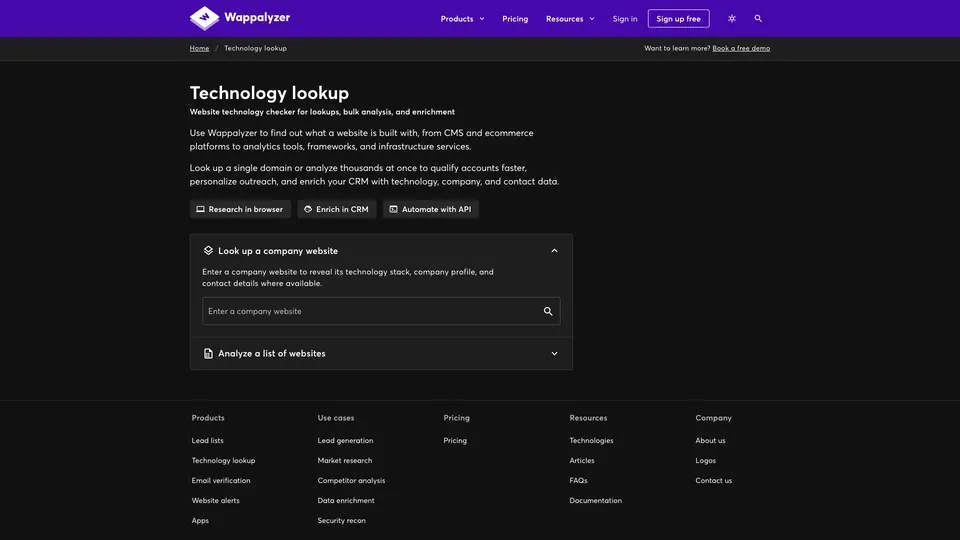
On the website, lookups work for a single URL as well as for a list of up to 100,000 URLs, exportable as CSV or JSON. Results come from a cache checked within the last 30 days, or from a live scan, which is fresher but counts as five lookups. This website lookup checks the homepage from the company’s servers, whereas the extension reads the page as your browser loaded it, logged-in state included: the two don’t always return the same list. Depending on the plan, the platform adds company and contact details, email verification, alerts when a site changes technology, prospect lists filtered by industry, country, size or traffic, connectors for Salesforce, HubSpot and Pipedrive, and APIs.
Wappalyzer was launched in 2008 by Elbert Alias, initially as a Firefox add-on. For years, its signature database was published as open source and enriched by the community, to the point of being reused in many third-party tools. The code is no longer public today, and the tool has taken a clear commercial turn toward B2B prospecting. It is operated by Wappalyzer Pty Ltd, an Australian company registered in 2020 in the state of Victoria.
Wappalyzer at a glance
- Type
- Browser extension and data platform
- Launched
- 2008, first on Firefox
- Founder
- Elbert Alias
- Publisher
- Wappalyzer Pty Ltd
- Headquarters
- Victoria, Australia
- Browsers
- Chrome, Firefox, Edge, Safari
- Free plan
- Extension, plus 50 lookups a month on the website
- Starting price
- $10/month (Plus), $250/month (Pro)
What is Wappalyzer used for?
-
Identify a site’s technologies
CMS, framework, analytics tools, hosting or payments show up in the extension as soon as the page loads.
-
Break down competitors’ sites
spot the platform, marketing tools and technical building blocks chosen by the sites you compete with.
-
Build prospect lists
companies using a given technology, filtered by country, industry, size or traffic, with a free sample before you buy.
-
Enrich your CRM
technologies, company information and verified contacts added to Salesforce, HubSpot or Pipedrive.
-
Track technology changes
an alert when a monitored site migrates to another platform or adopts a new tool.
-
Automate through the API
bulk lookups plugged into your own tools, or through Zapier and Make without writing code.


Wappalyzer review
Reference
The extension and the subscription have almost nothing in common apart from the name. The first is free, lightweight and remarkably handy: you install it once, then check it without thinking whenever a site raises a question. To find out whether a client runs WordPress or PrestaShop before sending a quote, check a library’s version or understand how a competitor built its store, one click is enough, and the interface is clear.
Its reach stops at public code. Wappalyzer only reads what the site exposes to the browser: anything that runs server-side without leaving a trace, an admin back end, a database or a tool loaded only after login escapes it. A well-hidden site, or one that goes through a proxy, can come up almost empty, and a detection is never a certainty. For a quick check, that is more than enough; for an audit that matters, it is better to cross-check with the source code and headers.
The paid platform speaks to a completely different audience. Its prospect lists and CRM enrichment target the sales teams of software companies, agencies and web developers looking, for example, for every store in a given country running Magento. At $250 a month for the Pro plan, limited to two target technologies and with no API, the bill only makes sense if technology-based prospecting is at the heart of the business. The free account, with 50 lookups a month, is mostly for discovering the tool, and the contact details provided fall under GDPR as soon as you use them in Europe.
Developers, for their part, have lost something: the signature database, long open and fed by the community, no longer is. Those who want to build detection into their own scripts now turn to forks of the old version, or to the paid API.
Strengths
- A free extension, with no account, that identifies a page’s technologies in one click.
- A readable interface, with technologies grouped by category and the version when it is visible.
- Available on Chrome, Firefox, Edge and Safari, as well as on iPhone.
- Bulk lookups of up to 100,000 URLs, exportable as CSV or JSON.
- Prospect lists you can test with a free sample before buying.
- Native connectors for Salesforce, HubSpot and Pipedrive, and a documented API.
Weaknesses
- Detection limited to public traces: what runs server-side often stays invisible.
- A free account capped at 50 lookups a month on the website.
- Expensive prospecting plans, starting at $250 a month, billed in dollars.
- No API or CRM connection before the Business plan, at $450 a month.
- A signature database that is no longer open source.
Is Wappalyzer worth it?
Yes, if you work on the web every day: developer, web agency, SEO, consultant or agency salesperson. The free extension deserves a place in your browser, and the Plus plan, at $10 a month, is enough to also see the profile of the company behind a site. The Pro and Business plans become worthwhile when you sell a product tied to a technology, such as a Shopify app or a migration service, and look for your customers among its users.
Not necessarily, if you need a site’s technology history or detailed market share tracking: BuiltWith, which keeps years of data, is more complete on that front, for a similar price. A developer who only wants to build detection into their tools will find what they need in the free, open-source forks of the old database, such as webappanalyzer. And for general B2B prospecting, a classic contact database will serve you better than a technology-focused tool.
How much does Wappalyzer cost?
The extension is still free, and a free account gives you 50 lookups and 50 email verifications a month, five alerts and sample lists. Paid plans are billed in dollars, monthly or yearly, with about 17% savings on annual billing. Plus enriches single lookups and the extension, Pro opens up prospect lists on two technologies, and you need Business or Enterprise for the API and CRM connectors.
| Plan | Per month | Per month, billed yearly | Included | Who it's for |
|---|---|---|---|---|
| Free | $0 | — | Extension, 50 lookups and 50 verifications a month, 5 alerts | Identifying a site’s technologies now and then |
| Plus | $10 | $8.33 | 200 lookups and 200 verifications a month, 10 alerts, company and contact data in the extension | Consultants and freelancers |
| Pro | $250 | $208.33 | 5,000 lookups and verifications, lists on 2 technologies, 25 alerts, 1 user | Salesperson prospecting on one technology |
| Business | $450 | $375 | 20,000 lookups, verifications and API credits, unlimited technologies, CRM, 5 users | Sales teams, agencies, software companies |
| Enterprise | Custom pricing | From $850 a month, 200,000+ lookups, 25+ users | Large enterprises, high data volumes | |
Source: official Wappalyzer pricing page, checked on October 31, 2026.
- Prices are published in dollars only. Billed annually, Plus comes to $100 a year, Pro to $2,500 and Business to $4,500.
- API credits included in a plan expire after 60 days, and those bought in bundles after 365 days.
- A live lookup, rather than a cached one, counts as five lookups.
- You can cancel the subscription at any time and pause it for up to three months. Refunds are handled case by case.
FAQ
Answers to questions about Wappalyzer
Is Wappalyzer free?
The browser extension is free and works without an account. On the website, a free account gives you 50 lookups a month. Company data, prospect lists and the API are paid, starting at $10 a month for the Plus plan.
Does Wappalyzer detect every technology on a site?
No. It picks up the traces technologies leave in the code, cookies and headers sent to the browser. What runs only server-side, behind a login or in a hidden way often escapes it.
What is the difference between Wappalyzer and BuiltWith?
Both identify a site’s technologies and sell lists of companies by technology. BuiltWith emphasizes its history and market share statistics; Wappalyzer, its extension, CRM enrichment and email verification.
Is Wappalyzer still open source?
No. Its signature database was public and community-fed for a long time, but the code is no longer published. Forks of the old version, such as webappanalyzer, are still maintained by volunteers.
Who makes Wappalyzer?
The tool was created in 2008 by Elbert Alias. It is operated by Wappalyzer Pty Ltd, an Australian company based in the state of Victoria.
Information checked on October 31, 2026