
- Web technical
- Web performance
GTmetrix: understand why a page is slow and track its speed over time
Good tool
GTmetrix loads your page in a real Chrome browser, from the location and on the device you choose, then takes it apart: a grade from A to F, the Web Vitals measured during the test and, above all, a waterfall chart that shows, request by request, what is holding up the display. You can then put the page under monitoring and get an alert when it slows down. Long the free companion of WordPress developers and agencies, it holds its own alongside PageSpeed Insights and WebPageTest.
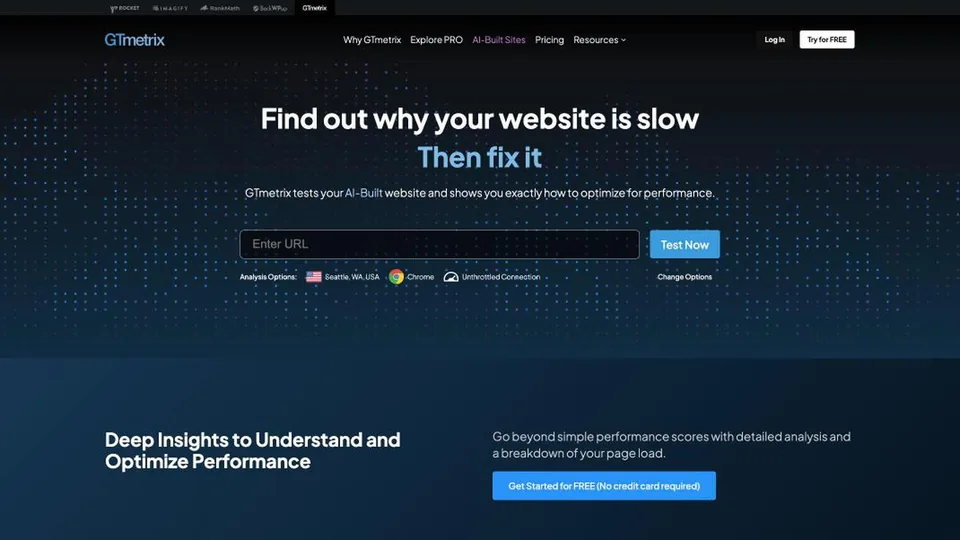
What is GTmetrix?
Each analysis runs on a GTmetrix test server: Chrome opens the page with the requested connection speed, device and location, then Lighthouse, Google’s open source auditing engine, takes its measurements. The report combines two scores into the “GTmetrix Grade”: a performance score, which reuses Lighthouse’s, and a structure score, which checks best practices (oversized images, uncompressed files, render-blocking scripts…). Since the update to Lighthouse 11, performance accounts for 60% of the grade and structure for 40%. Then come the request waterfall, a video of the page load, the test history and a side-by-side comparison of two reports.
All of these are lab measurements: GTmetrix doesn’t have the field data Google collects from real visitors. Paid accounts add more test locations, more than 55 simulated devices, advanced options (custom user agent, DNS override), hourly monitoring, a REST API and an MCP server to run tests from an AI assistant such as Claude, ChatGPT or Cursor.
The tool was born in Canada, at Gossamer Threads, a Vancouver hosting company that merged with Carbon60 in 2019 to form Carbon60 Networks. On November 16, 2020, GTmetrix dropped its old engines to rely entirely on Lighthouse. In January 2025, Carbon60 sold it to group.one, a Swedish group of digital services for small businesses based in Malmö, which also owns WP Rocket, the caching plugin for WordPress. GTmetrix claims 1.5 million users and more than a billion pages analyzed. Its free offer has tightened in the meantime: you need an account to see the full report, and the number of free tests is limited.
GTmetrix at a glance
- Type
- Online tool, API and MCP
- Owner
- group.one (Sweden), since 2025
- Origin
- Canada (Vancouver)
- Engine
- Lighthouse, in Chrome
- Current version
- Since November 2020
- Test locations
- 2 free, up to 28 on paid plans
- Free plan
- 5 tests a month for 3 months
- Starting price
- $5.99/month, or $4.99 billed annually
What is GTmetrix used for?
-
Grade a page’s speed
a grade from A to F, a Lighthouse performance score and the Web Vitals measured during the test.
-
Read the loading waterfall
every file the page requests, with its size, its order and the time it costs.
-
Spot what needs fixing
images, render-blocking scripts, caching or compression, ranked by their impact on the grade.
-
Test from your visitors’ country
the server location, device and connection speed are chosen before each test.
-
Monitor your pages
automatic tests every day, or every hour depending on the plan, with an alert when the page slows down.
-
Compare and keep the history
two reports side by side and trend charts, to measure the effect of an optimization.
-
Automate with the API and MCP
run tests from your scripts or from an AI assistant, with daily credits depending on the plan.


GTmetrix review
Good tool
Where PageSpeed Insights stops at a diagnosis, GTmetrix shows you the movie of the page load. Its request waterfall is what it does best: you immediately spot the oversized image, the font loaded too late or the ad script blocking the display. For a developer or an agency that has to explain to a client why a page is slow, then prove it has been fixed, the history and report comparison do the rest.
Its grade still calls for careful reading. The GTmetrix Grade comes from a single test, from a given server, with a simulated connection speed: it often differs from the PageSpeed Insights score, and neither tells you what your visitors actually experience. For SEO, what counts are the Core Web Vitals Google measures from real users, and GTmetrix doesn’t show them. Use it to find what to fix, not as a verdict.
The pricing has changed in nature. Yesterday’s free tool has given way to an account limited to a handful of tests a month, a clear step back for those who used it daily. The entry plan costs little, and the next one, under $10 a month billed annually, is enough for a freelancer to test and monitor a few pages.
Strengths
- A clear request waterfall, ideal for finding what slows the page down.
- A choice of test location, device and connection speed.
- History, report comparison and a video of the page load.
- Monitoring with alerts, hourly on the higher plans.
- Inexpensive entry plans, an API and an MCP server.
Weaknesses
- A free plan reduced to a few tests a month, for three months.
- No real visitor data, only lab measurements.
- A grade that often differs from the PageSpeed Insights score.
- Only two test locations and no mobile device testing without a subscription: the free account measures the page in desktop Chrome, far from the conditions most visitors are in.
- Prices published in dollars only.
Is GTmetrix worth it?
Yes, if you optimize websites for yourself or for clients and need to understand in detail what slows a page down, test from your visitors’ country or monitor a handful of key pages. At a few dollars a month, it is a subscription that an agency or a freelancer can easily make worthwhile.
Not necessarily, if you only want to know whether your site passes the Core Web Vitals. PageSpeed Insights, free and made by Google, shows your real visitors’ data, and the Core Web Vitals report in Google Search Console gives it for the whole site. WebPageTest, from Catchpoint, goes even further into technical detail (browsers, locations, test scripts) and remains the reference for performance specialists, at the cost of a more austere interface. For a one-off local analysis, Lighthouse is built into Chrome’s developer tools.
How much does GTmetrix cost?
GTmetrix now has to be paid for regular use: the free account is only good for trying the tool, and four PRO plans, priced in dollars, scale with the number of tests, monitored pages and test locations.
| Plan | Per month | Per month, billed yearly | Included | Who it's for |
|---|---|---|---|---|
| Basic (free) | $0 | — | 5 tests a month for 3 months, 1 page monitored daily, 2 locations, reports kept for a week | Trying the tool |
| Lite | $5.99 | $4.99 | 50 tests a month, 1 monitored page, 5 locations, one month of history | Testing your own site now and then |
| Core | $11.99 | $9.99 | 150 tests a month, 3 monitored pages, 10 locations, API and MCP, 6 months of history | Freelancers, small sites |
| Advanced | $29.99 | $24.99 | Unlimited tests, 10 monitored pages, 28 locations, hourly monitoring, 6 months of history | Agencies, high-stakes sites |
| Expert | $59.99 | $49.99 | Unlimited tests, 50 monitored pages, 28 locations, 5 team seats, 12 months of history | Teams monitoring many pages |
Source: official GTmetrix pricing page, checked on October 31, 2026.
- All prices are published in dollars. Paying yearly works out to two months free; it is billed up front, and you can switch billing cycles at any time.
- The free account can be opened without a credit card.
- “Unlimited” tests are subject to a fair use limit: beyond a certain volume over 30 days, tests are slowed down.
- Tests run by monitoring or through the API don’t count against on-demand tests.
FAQ
Answers to questions about GTmetrix
Is GTmetrix free?
Not really anymore. A free account allows 5 on-demand tests a month for the first three months, from two test locations. For regular use, you need a PRO plan, starting at $5.99 a month, or $4.99 a month billed annually.
Why is my GTmetrix grade different from my PageSpeed Insights score?
Both tools use Lighthouse, but not under the same conditions. PageSpeed Insights highlights a mobile test, on a simulated device with a throttled network, while GTmetrix tests by default in desktop Chrome with an unthrottled connection: mobile device testing is reserved for PRO plans. Add to that the server, the location and GTmetrix’s own structure score. PageSpeed Insights also shows real visitor data, which GTmetrix doesn’t have.
Is GTmetrix useful for SEO?
Indirectly. Google takes into account the Core Web Vitals measured from real visitors, which you can check in PageSpeed Insights or Search Console. GTmetrix helps you find and fix what slows the page down, which then improves those metrics.
What is the GTmetrix Grade?
It is GTmetrix’s grade from A to F. It combines the Lighthouse performance score, weighted at 60%, and a structure score that checks optimization best practices, weighted at 40%.
Information checked on October 31, 2026