
- SEO
- SEA
- Keyword research
Google Keyword Planner: search volumes and keyword ideas straight from Google
Good tool
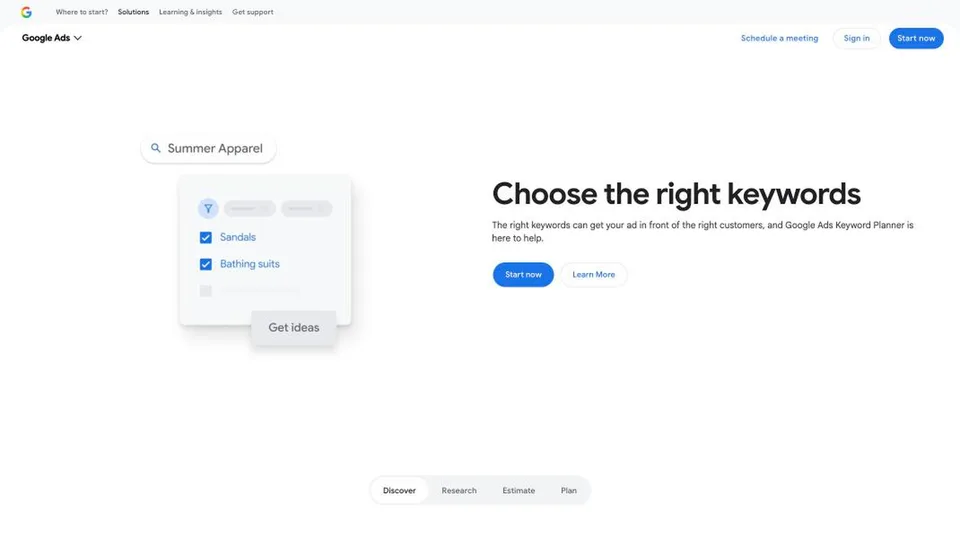
Google Keyword Planner is the keyword research tool built into Google Ads. You type in a few phrases or a website address, and it suggests search ideas along with their average monthly searches, their trend, the level of competition between advertisers and the estimated cost per click. Built for planning ad campaigns, it is just as useful to SEOs, since its numbers come straight from Google: it is the classic starting point for any keyword research.
What is Google Keyword Planner?
Keyword Planner isn’t something you install or buy: it sits in the “Tools” menu of Google Ads, under “Planning.” It offers two entry points. “Discover new keywords” starts from a list of phrases or a web page and turns it into hundreds of suggestions; “Get search volume and forecasts” puts numbers on a list you already have. For each search term, the tool shows the average number of monthly searches, calculated over twelve months by default, grouping the keyword with its close variants and rounded, then the trend over the year, the competition between advertisers and a bid range to appear at the top of the page, based on the last thirty days. You can filter by country, region, language and date range, then turn your selection into a plan with forecasts of clicks, impressions and cost for a given budget.
To get in, you need a fully set-up Google Ads account, billing information included, and you have to switch to Expert Mode if the account was opened in Smart Mode. Google presents the tool as free and nudges you to create a campaign, but Expert Mode lets you open an account without launching one. One major caveat no longer appears in the online help: in 2016, Google announced that advertisers with low monthly spend could get only a “limited view” of the data. With no active campaign, or a small budget, volumes are then shown as broad ranges (100–1K, 1K–10K…) instead of precise numbers, and Google has never published the threshold. Forecasts remain available.
Google launched the tool in 2013. It replaced two tools from the AdWords era, the Keyword Tool, which you could use without an account, and the Traffic Estimator, combining them in a single screen reserved for signed-in advertisers.
Google Keyword Planner at a glance
- Type
- Online tool built into Google Ads
- Launched
- 2013
- Publisher
- Google (Alphabet)
- Headquarters
- Mountain View, California
- Access
- Google Ads account in Expert Mode, billing set up
- Data source
- Searches made on Google
- Without ad spend
- Volumes sometimes shown as ranges
- Free plan
- Yes, the tool is completely free
- Starting price
- Free
What is Google Keyword Planner used for?
-
Find keyword ideas
from a few phrases or a website address, including a competitor’s.
-
Check search volume
the average monthly searches for a term and how they change over the year, by country, region or language.
-
Estimate cost per click
the competition between advertisers and the bid range to show up at the top of the results page.
-
Plan a Google Ads campaign
sort your keywords into ad groups and forecast clicks, impressions and cost for your budget.
-
Analyze a competitor’s site
the keyword ideas Google draws from the text of its pages, not the searches it actually ranks for: good for spotting topics, not for measuring its visibility.





Google Keyword Planner review
Good tool
It doesn’t get more legitimate than this: when you plan a Google Ads campaign, Keyword Planner is the tool Google itself hands to advertisers, with its own data. For finding ideas, estimating cost per click and setting a budget, it does the job, and it costs nothing.
On the organic search side, the enthusiasm needs tempering. The tool was designed for advertising, and it shows: its “Competition” column measures the battle between advertisers, not how hard it is to rank in organic results, and its volumes are rounded, averaged over twelve months and grouped with the close variants of the same search. They are good orders of magnitude, not exact figures.
Above all, accuracy depends on how much you spend. An account that runs no campaigns, or very few, may only see ranges like “1K–10K,” too broad to choose between two keywords. That is the tool’s main limitation for an SEO consultant or a small business that doesn’t advertise, and Google has never said at what budget the numbers become precise again.
You also have to accept going through Google Ads: creating an account, entering a payment method, switching to Expert Mode and dodging the screens that push you to launch a campaign. Nothing insurmountable, but access is less direct than with a typical SEO tool.
Strengths
- Data that comes straight from Google, not from a panel or a third-party estimate.
- Completely free, with no search limit for normal use.
- Keyword ideas drawn from a simple list or a website address, including a competitor’s.
- Precise targeting by country, region and language, with twelve months of seasonality.
- Cost-per-click estimates and budget forecasts that help when launching a campaign.
Weaknesses
- Volumes sometimes reduced to broad ranges when the account spends little or nothing.
- Rounded numbers grouped by close variants, not very precise for niche searches.
- No measure of SEO difficulty: the competition shown is between advertisers.
- Access requires a Google Ads account, a payment method and Expert Mode.
- An interface built for advertising, which keeps pushing you to create campaigns.
Is Google Keyword Planner worth it?
Yes, if you plan or manage Google Ads campaigns: it is the go-to tool for choosing your keywords, estimating their cost and sizing your budget, and your ad spend gives you access to precise volumes. It also helps in SEO to rough out a topic and spot searches you hadn’t thought of.
Not necessarily, if you only do organic search with no ad budget. The ranges may leave you wanting more, and nothing in the tool measures how hard it is to rank. Google Search Console, which is free, shows the real searches already bringing traffic to your site, and Google Trends compares interest in several topics over time. For volumes with a difficulty score, you need SEO tools: Ubersuggest or Mangools on a tight budget, Semrush or Ahrefs for professional use, keeping in mind that their volumes are estimates.
How much does Google Keyword Planner cost?
Nothing: Keyword Planner is free for anyone with a Google Ads account, and there is no paid plan. The only cost is indirect: the most precise volumes are reserved for accounts that actually advertise.
| Plan | Per month | Included | Who it's for |
|---|---|---|---|
| Free | $0 | Keyword ideas, volumes, trends, bid estimates and forecasts | Anyone with a Google Ads account |
Source: official Google Keyword Planner page, checked on October 31, 2026.
- You need a fully set-up Google Ads account, with billing information, and must switch to Expert Mode if the account is in Smart Mode.
- Opening the account and using the tool doesn’t trigger any payment: only campaigns that run are billed.
- With no active campaign or low spend, search volumes may be shown as ranges rather than precise numbers; Google doesn’t publish the spending threshold.
FAQ
Answers to questions about Google Keyword Planner
Is Google Keyword Planner free?
Yes. The tool is free for anyone with a Google Ads account. You do have to finish setting up the account, billing information included, but you don’t have to run an ad.
Can you use Keyword Planner without an active campaign?
Yes, by opening the account in Expert Mode without creating a campaign. However, Google has said that low-spending accounts may get only a limited view of the data: search volumes are then shown as ranges, such as 1K–10K, instead of precise numbers. The threshold has never been published.
Are Google Keyword Planner volumes accurate?
They come from Google, but they are twelve-month averages, rounded and grouped with the close variants of each search. They give a good order of magnitude. For the searches that actually bring traffic to your site, Google Search Console remains the reference.
Is Keyword Planner useful for SEO?
Yes for finding ideas and comparing volumes, less for choosing your targets: the Competition column measures competition between advertisers, not how hard it is to rank in organic results.
Information checked on October 31, 2026