
- Web technical
- Web technology lookup
WhatRuns: find out in one click what technologies a website runs on
Worth a look
WhatRuns tells you, without leaving the page, what a website was built with. Installed in Chrome or Firefox, this small extension shows in one click the CMS, frameworks, analytics tools, ad networks, hosting, fonts and even the WordPress plugins used by the site you are visiting. Free and with no sign-up, it is, along with Wappalyzer, the technology detector you come across most often in browsers.
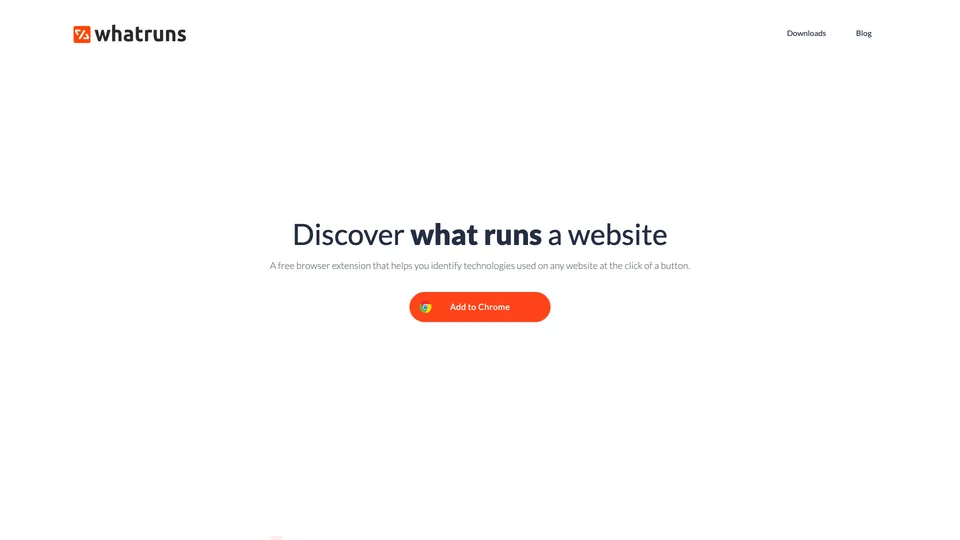
What is WhatRuns?
Once installed, WhatRuns adds an icon next to the address bar. On any page, one click opens a panel that sorts what the extension has recognized into families: CMS, JavaScript frameworks, analytics tools, advertising, payments, fonts, server or CDN. To get there, it reads what the page actually loads, scripts, stylesheets, tags and headers, then compares those traces with its database of signatures, which the publisher says it expands every day with dozens of web applications. You can also “follow” a site to be notified when it adopts or drops a technology.
This method has its blind spots. The extension only sees what the site reveals in the browser: a tool installed on the server side, a CDN that doesn’t identify itself or a hidden version escapes it, and it gives no confidence level. Another thing to know: according to its privacy policy, it may send code snippets from the pages you visit to its servers to improve detection, data described as anonymized.
The domain was registered in May 2017 and the extension made its public debut in August of the same year on Product Hunt. The service is provided by Ownedit Ltd, a British company registered in Birmingham, which communicates very little: the site’s “about” page is empty. After years of infrequent updates, the extension moved forward again in 2026, with a version released at the end of October.
WhatRuns at a glance
- Type
- Extension for Chrome and Firefox
- Launched
- 2017
- Publisher
- Owned It Ltd
- Headquarters
- Birmingham (United Kingdom)
- Users
- More than 400,000 on Chrome
- Account
- Not required
- Free version
- Yes, every feature
- Starting price
- Free
What is WhatRuns used for?
-
Identify the CMS and frameworks
WordPress, Magento, React, Vue or jQuery, with the WordPress theme and plugins when they are visible.
-
See a competitor’s tools
analytics, ad networks, chat, payments or email marketing: a site’s marketing toolbox revealed in one click.
-
Spot the hosting and CDN
web server, content delivery network and third-party services loaded by the page, when they identify themselves.
-
Get notified of changes
by following a site, you are alerted when it starts or stops using a technology.


WhatRuns review
Worth a look
WhatRuns is first and foremost for the curious. You land on a fast website, a polished online store or a well-designed form, you click, and within two seconds you know whether it runs on WordPress or Next.js, which tool measures its audience and which font gives it that look. For a developer, a web integrator or an agency salesperson preparing for a meeting, that quick look is often enough, and it costs nothing.
Fundamentally, the extension is comfortable with what can be seen in the browser: JavaScript frameworks, analytics scripts, chat widgets, WordPress plugins. It is much less so with everything else. Results can be incomplete, a version can be misread, and the panel sometimes gets stuck loading or shows up empty. It is best treated as a clue: before stating in black and white in an audit that a site uses a given tool, checking the source code or a second detector is the prudent move.
It also quickly shows its limits once you go beyond one site at a time. No export, no list of sites using a technology, no history and no API: for prospecting or market research, you need a database such as BuiltWith or Wappalyzer’s paid plans. Privacy calls for a caveat. Like every tool of its kind, the extension asks for access to every page you visit, and its very discreet publisher may receive code snippets from them. Nothing unusual for this type of tool, but best avoided on a machine that handles sensitive internal applications.
Strengths
- Completely free, with no account and no usage limits.
- An answer in one click, without leaving the page you are on.
- Good detection of JavaScript frameworks, analytics tools and WordPress plugins.
- Clear grouping by technology family.
- Available for Chrome and Firefox, with change tracking on the sites you choose.
Weaknesses
- Detection that is sometimes incomplete or inaccurate, with no reliability indicator.
- Erratic behavior: a panel stuck loading or empty results.
- No export, no search by technology, no API.
- Broad permissions and code snippets sent to the publisher.
- A publisher that isn’t very transparent and updates that were long infrequent.
Is WhatRuns worth it?
Yes, if you simply want to know, now and then, what a website is built on: a competitor’s CMS, the font on a page you like, a prospect’s analytics tool before a meeting. Installation takes a few seconds and the extension asks for nothing in return.
Not necessarily, if you need reliable results or results at scale. Wappalyzer, whose detection is generally richer, serves the same purpose in the browser and adds searches and exports in its paid plans. BuiltWith plays in another category, with its lists of sites by technology and their history, useful for prospecting. And to settle a doubt, nothing beats the browser’s inspector or the page’s source code.
How much does WhatRuns cost?
Nothing at all. WhatRuns offers no subscription and no paid option: the extension installs for free from the Chrome or Firefox store and works without creating an account.
| Plan | Per month | Included | Who it's for |
|---|---|---|---|
| Free extension | $0 | Unlimited detection, site following, Chrome and Firefox | Developers, agencies, anyone curious about the web |
Source: official WhatRuns website (homepage, no paid offer), checked on October 31, 2026.
- No paid version, no public API: to export lists of sites or automate detection, you need to turn to a paid service.
- The extension may send code snippets from the pages you visit to the publisher, according to its privacy policy.
FAQ
Answers to questions about WhatRuns
Is WhatRuns free?
Yes, completely. The extension for Chrome and Firefox has no paid plan and works without an account.
Is WhatRuns reliable?
For a first look, yes: it recognizes CMSs, JavaScript frameworks and analytics tools well. But it only sees what the page loads in the browser, may miss a technology or misread a version, and gives no confidence level. For an audit, cross-check the results.
What is the difference between WhatRuns and Wappalyzer?
Both extensions do the same job in the browser. Wappalyzer generally has richer detection and sells paid plans with searches, exports and an API, while WhatRuns stays free and is limited to analyzing one site at a time.
Does WhatRuns collect my data?
The extension has access to every page you visit and, according to its privacy policy, may send code snippets and technical data to its servers to improve detection, in a way described as anonymized. It is best to disable it on sensitive internal tools.
Who publishes WhatRuns?
The service is provided by Owned It Ltd, a British company registered in Birmingham. The extension was launched in 2017.
Information checked on October 31, 2026