
- Web technical
- Web quality and compliance
W3C Link Checker: track down broken links and orphan anchors on a page
Worth a look
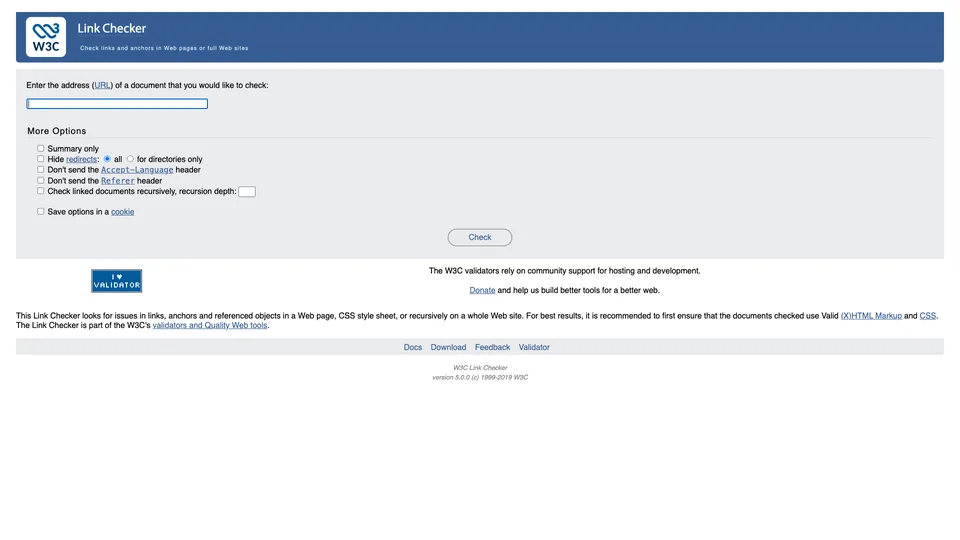
The W3C Link Checker follows a web page’s links one by one and flags the ones that no longer lead anywhere: page not found, unresponsive server, unnecessary redirect, internal anchor pointing at nothing. You paste in a URL, start the check and watch each tested link scroll by before you get the list of problems, sorted by response code. Free and with no signup, it is the official link checker from the organization that writes the web’s standards, and the natural companion to its HTML and CSS validators.
What is W3C Link Checker?
For each page submitted, the tool reads the HTML code (or a CSS style sheet), extracts the links and anchors, then queries each URL, usually with a simple HEAD request that asks for the response header without downloading the page. Along the way, it checks that no anchor is declared twice and that links to a specific fragment (page.html#section) actually find their target, a check few mainstream tools take this far. Redirects are flagged, including the most discreet ones, such as a folder requested without its trailing slash. A checkbox lets you go further and follow internal links several levels deep, up to 150 documents for the online version. The crawl only goes into pages whose URL starts with that of the starting page: to cover a small site, you need to start from its root.
The tool is deliberately polite to servers: it respects the robots.txt file (where it identifies itself as W3C-checklink) and waits at least one second between two requests to the same site. That is what makes it slow on a page full of links, but also what keeps it from looking like an aggressive bot.
The program was born at the W3C in August 1998, written by Renaud Bruyeron, then completely rewritten by Hugo Haas in November 1999; Ville Skyttä and other volunteers developed it further after that. It is a Perl script distributed under the W3C software license, which you can also install yourself from CPAN and run from the command line, with no page cap. The latest published version, 5.0.0, dates from June 2021; the repository is still open but has received only minor touch-ups since. The W3C, founded in 1994 by Tim Berners-Lee, has been an independent nonprofit organization since January 2023 and funds its validators partly through donations.
W3C Link Checker at a glance
- Type
- Online service and free Perl script
- Launched
- 1998
- Authors
- Renaud Bruyeron, then Hugo Haas
- Publisher
- W3C, a nonprofit organization
- Latest version
- 5.0.0, June 2021
- Online limit
- 150 documents in recursive mode
- Language
- English interface
- Free plan
- Yes, the tool is completely free
- Starting price
- Free
What is W3C Link Checker used for?
-
Find dead links
pages returning a 404 error, servers that no longer respond, and images, scripts or CSS resources that can no longer be found.
-
Check your anchors
every link to a fragment (#section) must find its target, and no anchor should be declared twice.
-
Root out unnecessary redirects
links that go through a permanent or temporary redirect, to be replaced with the final URL.
-
Crawl part of your site
by following internal links to the depth you choose, up to 150 documents in the online version.
-
Install it on your machine
from the command line, with no page cap and with authentication, to check a staging site or build it into your scripts.


W3C Link Checker review
Worth a look
For checking the links on a specific page, such as technical documentation, a long blog post or a resource page pointing to dozens of sites, the W3C Link Checker remains a serious tool. Its results are reliable because it really queries every URL, and it goes further than most free checkers on anchors and redirects. All with no account and no ads.
Patience is required. The one-second pause between two requests to the same server, meant to avoid overloading sites, shows on the stopwatch: in our test, the W3C homepage and its hundred or so links took a little over three minutes, and a long Wikipedia article still wasn’t finished after five. Recursive mode, capped at 150 documents, is enough for a small brochure site, not for a content site or an online store.
Some results also call for a little perspective. Sites that block bots or refuse HEAD requests can show up as errors even though they open fine in a browser, and links disallowed by a robots.txt file simply remain unchecked. Links added by JavaScript escape the analysis, since the tool reads the HTML code as the server sends it.
The interface is stuck in the 2000s, and the software barely evolves anymore: it works, but no one is moving it forward. For a one-off check, it does the job; to audit an entire site or monitor links over time, you need a crawler or a dedicated service.
Strengths
- Completely free, with no account and no limit on individual checks.
- A real check of every link, including CSS resources and images.
- Anchor and fragment checks, rare among free tools.
- Redirects flagged, even the most discreet ones.
- A free version you can install to check a site with no cap or on staging.
Weaknesses
- Very slow as soon as a page has many links to the same site.
- Online crawling capped at 150 documents.
- False alarms on sites that block bots or HEAD requests.
- Links generated by JavaScript are not seen at all.
- A bare-bones interface, in English, and software that has almost stopped evolving.
Is W3C Link Checker worth it?
Yes, if you want to check a page or a small site before it goes live, clean up a resource page full of external links, or make sure a table of contents points to the right sections. Developers and technical writers will find a rigorous check here, without paying or installing anything.
Not necessarily, if you manage a site with several hundred pages or want to be alerted when a link breaks. A crawler such as Screaming Frog or Sitebulb goes through an entire site much faster and cross-references dead links with the rest of the technical audit. Google Search Console, which is free, flags the error pages Google itself has encountered. For regular monitoring, online services such as Sitechecker rerun the analysis at set intervals. Finally, the open-source LinkChecker, unrelated to the W3C despite its name, offers a more modern command-line alternative.
How much does W3C Link Checker cost?
It costs nothing: the W3C Link Checker is a free public service, with no account, no subscription and no paid option. The script, distributed under a free license, can also be installed on your own machine at no cost.
| Plan | Per month | Included | Who it's for |
|---|---|---|---|
| Free | $0 | Online check of one page or 150 documents recursively, free script to install | Developers, technical writers, small site owners |
Source: official W3C Link Checker page, with no paid plan, checked on October 31, 2026.
- The W3C accepts donations to fund its validators, with nothing in return.
- Installed locally, the script no longer has a page cap, but keeps its one-second pause between two requests to the same server.
FAQ
Answers to questions about W3C Link Checker
Is the W3C Link Checker free?
Yes, completely. No account, no subscription: you can even install the script freely on your own machine.
Can the W3C Link Checker check an entire site?
Partly. The recursive checking option follows internal links to the depth you choose, but the online version stops at 150 documents. Beyond that, you need to install the script or use a crawler.
Why is the W3C Link Checker so slow?
The tool waits at least one second between two requests to the same server, so as not to overload it. A page with hundreds of links to the same site can therefore take several minutes.
Why does a working link show up as an error?
Some sites block bots or refuse the lightweight requests the tool uses, and respond with an error even though the page opens normally in a browser. It is best to check those links by hand before fixing them.
Information checked on October 31, 2026