
- Web technical
- Web accessibility
axe DevTools: Deque’s extension for catching accessibility issues while you build
Reference
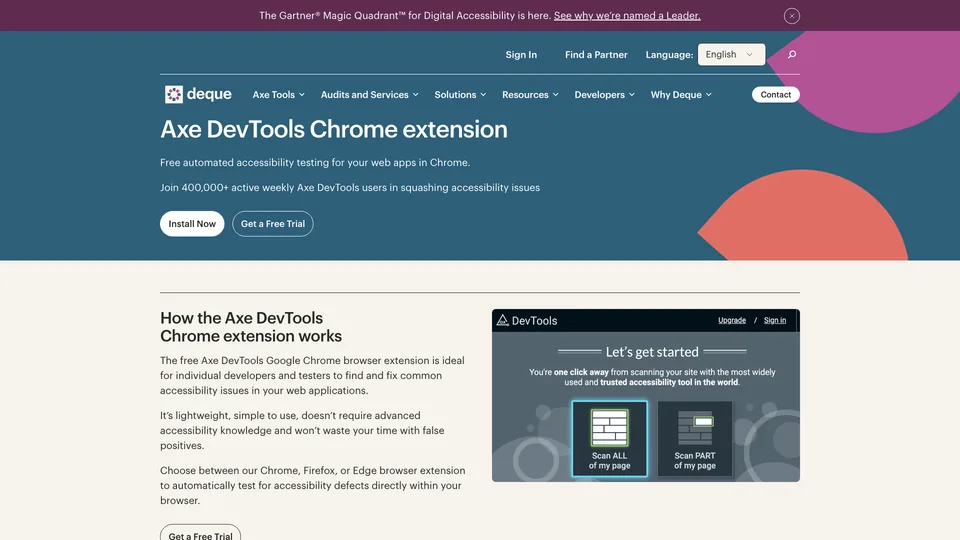
axe DevTools adds an accessibility tab to the developer tools in Chrome and Edge. One click on “Scan ALL of my page” and the extension checks the page in front of you against WCAG rules, then lists everything that gets in the way of a screen reader or keyboard user: low contrast, buttons without a name, unlabeled form fields, a broken heading structure, each with the element at fault and how to fix it. The free version covers that automated check; the paid plans add guided tests and integration into your code. Its engine, axe-core, is the most widely used on the market: it even powers the accessibility audit in Lighthouse.
What is axe DevTools?
Once installed, the extension sits in the browser’s developer tools, next to the Elements and Console tabs. It analyzes the page code as the browser has built it, including content added by JavaScript, pages behind a login and sites running locally, without sending anything to a server. Results are sorted by severity, from critical to minor. Click an issue and it is highlighted on the page, with its CSS selector, the WCAG rule involved and a help page. You pick the target standard, WCAG 2.0, 2.1 or 2.2 at level A, AA or AAA, and can add “best practices” that go beyond the guidelines. The full version runs in Chrome and Edge; the Firefox version is more limited and doesn’t get the paid features.
Everything rests on axe-core, an open-source JavaScript library (MPL 2.0 license) that Deque has published since June 2015. According to Deque, it automatically finds 57% of WCAG issues on average and only reports definite defects, which is why so many tools use it: Google picked it in 2017 for the accessibility audits in Lighthouse. The rest, what a machine can’t decide on its own, is the job of the Intelligent Guided Tests in the Pro version: the extension asks you questions about the page (is this image decorative? does this table have proper headers?) and turns your answers into a report. With these guided tests, Deque claims up to 80% of issues detected.
The company behind the tool is Deque Systems, founded in 1999 by Preety Kumar, who still runs it. It is based in Herndon, Virginia, with offices in Utrecht and Hyderabad. A digital accessibility specialist, Deque also sells audits, training (Deque University) and a monitoring platform. The product was called WorldSpace Attest until May 2020, when Deque brought its software together under the axe brand; the Pro plan arrived on March 1, 2021. Deque reports more than 400,000 weekly active users for its extension.
axe DevTools at a glance
- Type
- Browser extension (Chrome, Edge, Firefox)
- Publisher
- Deque Systems
- Publisher founded
- 1999, by Preety Kumar
- Headquarters
- Herndon, Virginia (United States)
- Engine
- axe-core, open source since 2015
- Standards tested
- WCAG 2.0, 2.1 and 2.2 (A, AA, AAA)
- Users
- 400,000 weekly active users, according to Deque
- Free plan
- Yes, automated full-page scan
- Starting price
- Pro: 14-day trial, price not listed
What is axe DevTools used for?
-
Scan a page in one click
the page on screen is checked against WCAG rules, with the severity, location and fix for each issue.
-
Check what automation can’t see
in the Pro version, guided tests ask the right questions about images, forms, tables and keyboard use.
-
Test a component or a user flow
with Pro, scan a single area of the page or a sequence of screens, such as a checkout flow.
-
Save and share your results
saved tests, exports and shared reports to track fixes as a team, for paid accounts only.
-
Build tests into your code
the open-source axe-core engine plugs into Playwright, Cypress, Selenium or Jest for free; the full offering adds a linter, consolidated reporting and support, so regressions get blocked in continuous integration.
-
Fix issues from your editor
the axe MCP server connects the scan to your coding assistant, which suggests fixes you can accept or reject.


axe DevTools review
Reference
axe DevTools has the advantage of living where you already work, in the browser’s developer tools: you fix a component, rerun the scan and watch the issue disappear. Its results are reliable, in the sense that what it flags is almost always a real problem, and every alert links to a clear explanation. The free version is more than enough for a developer or front-end integrator who wants to clear out the obvious errors before going live.
Its limit is the limit of any automated scan. However good it is, an automated check only covers part of the criteria: it can see that alt text exists, not whether it describes the image correctly, and it checks neither the logic of keyboard navigation nor whether a form makes sense. Zero errors in axe DevTools doesn’t mean an accessible site, let alone one that complies with WCAG or European accessibility law. Many competing and free tools also run on the same axe-core engine, so running the page through Lighthouse after axe DevTools doesn’t give you a second opinion.
The guided tests in the Pro version partly fill that gap and save time for anyone who has to test by hand without being an expert. The paid offering, however, lacks transparency: no price appears on the pricing page, you have to create an account to see it, and the full offering goes through sales. Finally, the report speaks the language of developers: a content writer or project manager will find their way around it less easily than in a tool that places its icons directly on the page.
Strengths
- A solid free version, no account needed, that scans the whole page.
- Reliable alerts, with very few false positives.
- Built into the developer tools, it also works locally and behind a login.
- Precise explanations for each issue, with the element at fault and the WCAG rule.
- A full offering that extends to a linter, automated tests and continuous integration.
Weaknesses
- The automated check only covers part of the accessibility criteria.
- Guided tests, partial scans, export and saving are for paid accounts only.
- No public price for Pro, and the full offering goes through sales.
- A limited Firefox version, without the paid features.
- A report built for developers, not very meaningful for writers and project managers.
Is axe DevTools worth it?
Yes, if you write or integrate code and want to check the accessibility of every screen as you build: the free extension earns its place next to the inspector, and it is one of the most reliable ways to catch common errors before QA. For a product team that has to meet accessibility requirements without an expert on staff, the Pro trial lets you judge the value of guided tests for yourself.
Not necessarily, if you aren’t a developer and want a readable overview: WAVE, from WebAIM, shows issues right on the page. Not necessarily either if you need to prove a site’s compliance: no automated tool replaces a human audit with a screen reader.
Accessibility Insights, Microsoft’s free extension, adds a tab-stop test and a guided manual assessment on top of the same engine. WAVE, which has its own engine, brings a different perspective and complements axe well. The Lighthouse accessibility audit, already built into Chrome, only runs part of the axe-core rules.
How much does axe DevTools cost?
The extension is free and works without an account for automated scans. Deque sells two plans above it, without listing their prices: the Pro extension, bought online per user but whose price only appears once you sign in to a Deque account, and the full web offering, negotiated with the sales team.
| Plan | Per month | Included | Who it's for |
|---|---|---|---|
| Free extension | $0 | Automated full-page scan, help pages, choice of WCAG standard | Developers and front-end integrators, checks as they code |
| Pro extension | Custom pricing | Guided tests, component or user-flow scans, saving, export, shared reports, Jira; price shown after sign-in | Developers and small teams who test regularly |
| Axe DevTools for Web | Custom pricing | Pro, plus linter, automated testing APIs, continuous integration, MCP server and overall reporting | Development teams and large organizations |
Source: official axe DevTools pricing page, checked on October 31, 2026.
- No amount is published on the pricing page, in dollars or in euros.
- The Pro trial lasts 14 days, with every feature unlocked and no credit card required; the account then switches back to the free version automatically.
- A Pro subscription can be bought for yourself, for someone else or for several users.
- Pro features are only available in Chrome and Edge.
FAQ
Answers to questions about axe DevTools
Is axe DevTools free?
Mostly, yes: the extension scans the whole page for free, without an account. Guided tests, partial scans, export and saving require a Pro subscription, which you can try for 14 days without a credit card.
How much does axe DevTools Pro cost?
Deque doesn’t publish the price on its pricing page: it appears at checkout, after you sign in to a Deque account. The full team offering, Axe DevTools for Web, is quote-based.
How is it different from the Lighthouse accessibility audit?
Both rely on axe-core, but Lighthouse only applies part of its rules and sums everything up in a score out of 100. axe DevTools runs the full rule set, lets you choose the WCAG level and details every issue.
Is a site with zero errors in axe DevTools WCAG compliant?
No. An automated test only checks part of the criteria. WCAG compliance requires manual checks, ideally an audit by a specialist using a screen reader.
Information checked on October 31, 2026