
- Web technical
- Web accessibility
Accessibility Insights: Microsoft’s free tool for auditing website accessibility
Reference
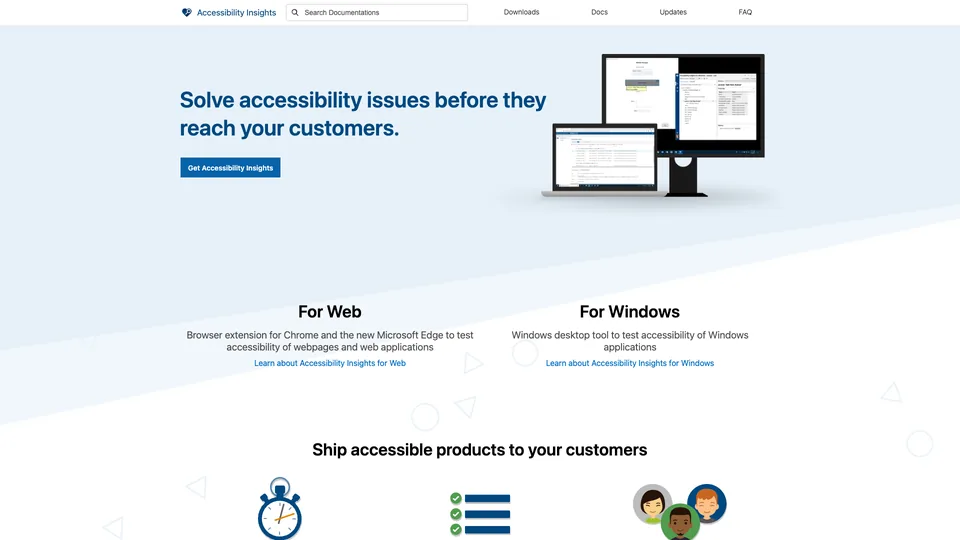
Accessibility Insights is an extension for Chrome and Microsoft Edge that checks a web page against accessibility rules. In a few minutes, it catches the most common issues, such as an image with no alt text, poor color contrast or a keyboard trap, and highlights them right on the page. To go further, it walks you step by step through a full assessment against the WCAG Level AA success criteria. Free, open source and account-free, it ranks among the go-to tools for developers and testers working on accessibility, alongside WAVE and axe DevTools.
What is Accessibility Insights?
Once the extension is installed, clicking its icon opens a launch menu with four options. FastPass is the quick check: a series of automated checks, about fifty requirements evaluated by axe-core, the open source engine from Deque Systems, followed by an assisted keyboard navigation test that draws the path of the Tab key on the page to reveal unreachable elements, traps and illogical focus order. Cases the automated engine can’t decide, such as text placed over an image, are set aside for a human to judge. Quick Assess adds about ten key requirements, and the Assessment runs 24 tests covering the WCAG 2.2 Level AA success criteria: some are automated, the rest are manual, with instructions and often a visual aid. Your work can be saved and picked up later, exported as an HTML or JSON report, and each issue can be turned into a GitHub or Azure Boards ticket.
The fourth option, “Ad hoc tools,” works outside any assessment: it overlays the page with your choice of heading structure, regions, ARIA landmarks, tab order or the results of the color checks, much like WAVE’s icons.
Alongside the extension, Microsoft distributes a Windows app that applies the same approach to desktop software: inspecting the accessibility properties of each control, automated checks, tab stop testing and a contrast analyzer. A third version, for Android, was retired in 2023 for lack of users.
Accessibility Insights is published by Microsoft, which open-sourced it in March 2019. The tools have relied on Deque’s axe technology from the start, Deque contributed to the project, and Microsoft in turn contributed its Windows rules engine to the axe project. The code is published on GitHub under the MIT license, and the extension still gets updates as new versions of axe-core come out, although they have become irregular, sometimes with several months between releases.
Accessibility Insights at a glance
- Type
- Browser extension and Windows app
- Publisher
- Microsoft
- Origin
- United States
- Open source
- Since March 2019, MIT license
- Rules engine
- axe-core, by Deque Systems
- Standard
- WCAG, Level AA
- Browsers
- Chrome and Microsoft Edge
- Free plan
- Yes, every feature
- Starting price
- Free, no account
What is Accessibility Insights used for?
-
Spot errors in minutes
FastPass runs automated checks on the open page and highlights each failing element, with the rule involved and how to fix it.
-
Test keyboard navigation
the path of the Tab key is drawn on the page so you can check that everything is reachable without a mouse, with no traps or illogical jumps.
-
Run a full WCAG assessment
24 step-by-step guided tests, automated or manual, to measure how well your site meets Level AA.
-
Check color contrast
text that is too faint is detected automatically, and borderline cases, like text over an image, are flagged for a visual check.
-
Share a report
results export as HTML for a client or a team, or as JSON to process elsewhere.
-
Create fix tickets
each issue can be sent to GitHub or Azure Boards with its details, or copied into the tracker of your choice.


Accessibility Insights review
Reference
There aren’t many free accessibility tools this serious. FastPass does what you expect from a first check: it runs in seconds, shows the problems on the page itself and explains how to fix them. Its automated checks rely on axe-core, the same engine as Lighthouse and axe DevTools, which makes the results solid and well documented. The tab stop test fills a real gap: keyboard use is often where sites fail, and few tools make it this easy to check.
What really sets it apart is the guided assessment. Where many tools stop at what an automated engine can see, Accessibility Insights also walks you through the manual checks, criterion by criterion, with clear instructions. And an automated scan only catches part of the problems: alt text that is present but meaningless, a page that doesn’t read well with a screen reader or a poorly explained form all slip through. Getting this method for free is valuable, but a full assessment takes time, requires an understanding of HTML and WCAG, and remains a job for a developer or a tester rather than a marketing manager.
The limits come mostly from its scope. The tool examines one page at a time, without crawling the site: to monitor hundreds of URLs, you need an audit crawler or axe-core built into your automated tests. It only works in Chrome and Edge, and its interface, very close to the browser’s developer tools, takes some getting used to. Finally, a report with no errors is not a certificate of compliance: this is a working tool, not a ready-made accessibility statement.
Strengths
- Completely free and open source, with no account and no usage limits.
- Automated checks built on axe-core, reliable and regularly updated.
- An assisted keyboard navigation test, rare in this form.
- An end-to-end guided WCAG assessment, manual checks included, at no cost.
- Exportable reports and one-click GitHub or Azure Boards tickets.
- A Windows app to test desktop software too.
Weaknesses
- Only one page analyzed at a time, with no site crawl or tracking over time.
- Only in Chrome and Edge, not in Firefox or Safari.
- A full assessment takes a long time and requires a solid grasp of HTML and WCAG.
- A technical interface, not very welcoming for non-developers.
- No more Android version, and updates on an irregular schedule.
Is Accessibility Insights worth it?
Yes, if you build or code websites and want to check your pages’ accessibility before they go live. FastPass belongs in every QA routine, and the guided assessment is one of the best free ways to prepare for a compliance audit or to learn WCAG. It is also a natural fit for teams that already track their fixes in GitHub or Azure Boards.
Not necessarily, if you mainly want a visual overview that a non-specialist can read quickly: WAVE, from WebAIM, also free, displays its icons right on the page and speaks more to content writers. If you need to monitor a large site over time, an audit crawler or Deque’s paid axe DevTools plans will be a better fit. Lighthouse’s accessibility report, built into Chrome, is enough for a quick look. And for a compliance statement that will hold up, nothing replaces an audit by an expert, with real screen reader testing.
How much does Accessibility Insights cost?
Microsoft distributes Accessibility Insights for free, with no account, no paid plan and no locked features, and its code is open source. The two tools still on offer can be downloaded from the official website.
| Plan | Per month | Access | Who it's for |
|---|---|---|---|
| Web extension | $0 | Free, for Chrome and Edge, no account | Web developers, front-end developers and testers |
| Windows app | $0 | Free, installed on Windows | Teams building desktop software |
Source: official Accessibility Insights pricing (download page, no paid plan), checked on October 31, 2026.
- The source code is published on GitHub under the MIT license: it can be freely reused and modified.
- Sending anonymous usage data to Microsoft is optional and can be turned off in the settings.
- The Android version can no longer be downloaded: existing installs still work but no longer receive updates.
FAQ
Answers to questions about Accessibility Insights
Is Accessibility Insights really free?
Yes. The Web extension and the Windows app are free, with no account or paid plan, and their code is open source under the MIT license.
What is the difference between FastPass and the full assessment?
FastPass is a quick check that takes under five minutes: automated tests plus a keyboard navigation check. The full assessment (Assessment) runs 24 tests, automated and manual, to measure how well a page meets the WCAG Level AA success criteria. It takes much longer.
Is Accessibility Insights enough to make a website compliant?
No. It helps you find and fix issues, and its guided assessment also covers manual checks, but certified compliance requires a full audit of the site, including screen reader testing, carried out by a trained person.
Does it work with Firefox or Safari?
No. The extension is published on the Chrome Web Store and installs in Google Chrome, Microsoft Edge and other Chromium-based browsers such as Brave or Vivaldi, on Windows, macOS or Linux. Firefox and Safari are left out.
How is Accessibility Insights related to axe?
The automated checks in Accessibility Insights rely on axe-core, the open source rules engine from Deque Systems, which also contributed to the project. axe DevTools, Deque’s own extension, uses the same engine with its own features, some of them paid.
Information checked on October 31, 2026